編輯或新增文章、頁面時,發現沒有文字大小及顏色選項,其實是被Wordpress貼心功能
[工具列的開關]隱藏其來了,以下告訴您此功能的位置及如何將隱藏的功能打開
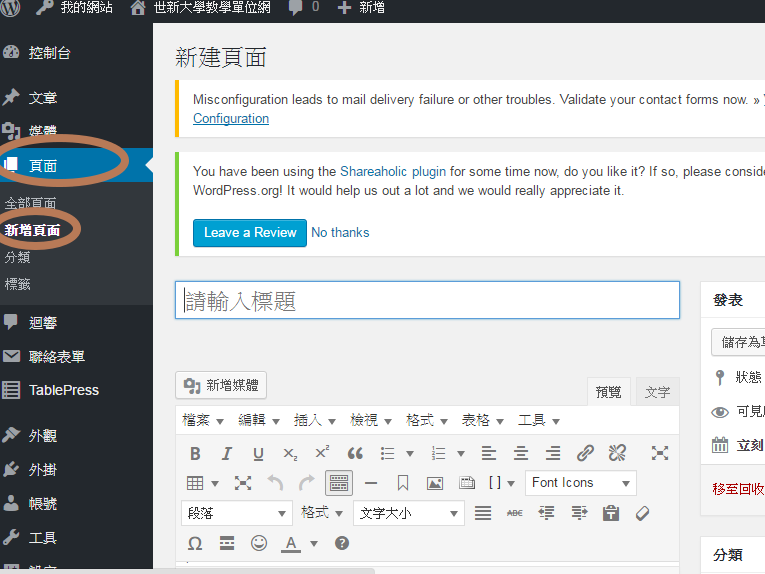
Step1
首先進入【頁面】或【文章】,下方是以《新增頁面》為例。
Step2
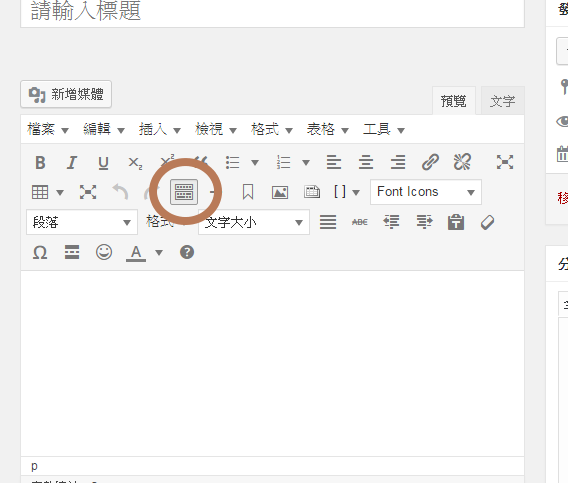
下圖有一個圈起來的地方。
Step3
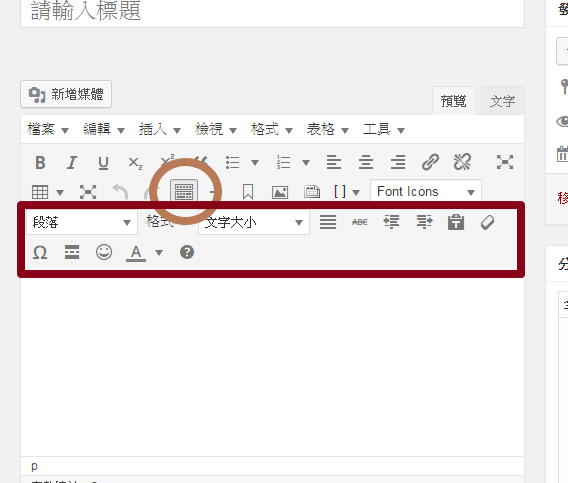
按一下會展開原本隱藏的功能如文字大小及顏色選項…等。
Step3
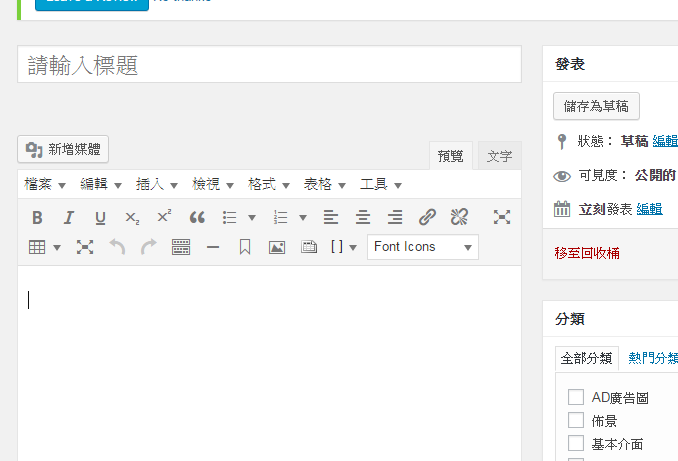
如果覺得版面佔了太多不喜歡,再點一下就收起來了。

© 2026 SHU Bachelor’s Degree in English for Global Intelligent Communication
© 2026 SHU Bachelor’s Degree in English for Global Intelligent Communication. Created with ❤ using WordPress and Kubio
Comments are closed